Thread & Ink: the new face of the Tawaasal app
July 15, 2026 · Abdulkareem H. Ali
Open the Tawaasal app this week and something feels different. Not moved — different. Every screen of the web app at tawaasal.app and the iOS and Android apps has been redrawn in a new design language we call Thread & Ink (خيط وحبر).
Born from a single letterform
Tawaasal (تواصل) comes from the Arabic root w-ṣ-l — to connect, to reach. Our wordmark has always carried that meaning visually: the elongated stroke that joins Arabic letters is called the kashida, and it's been hiding in our logo from day one.
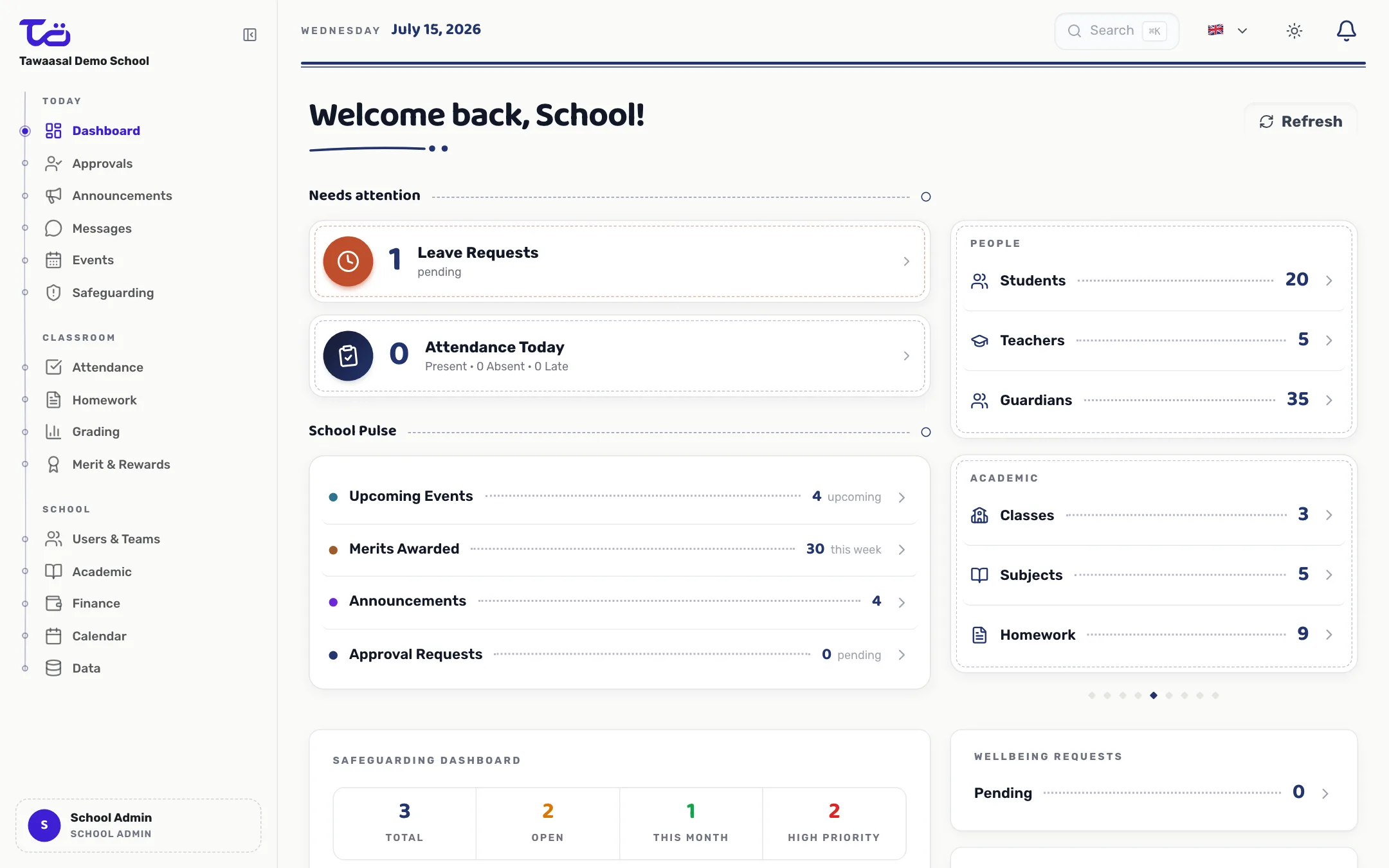
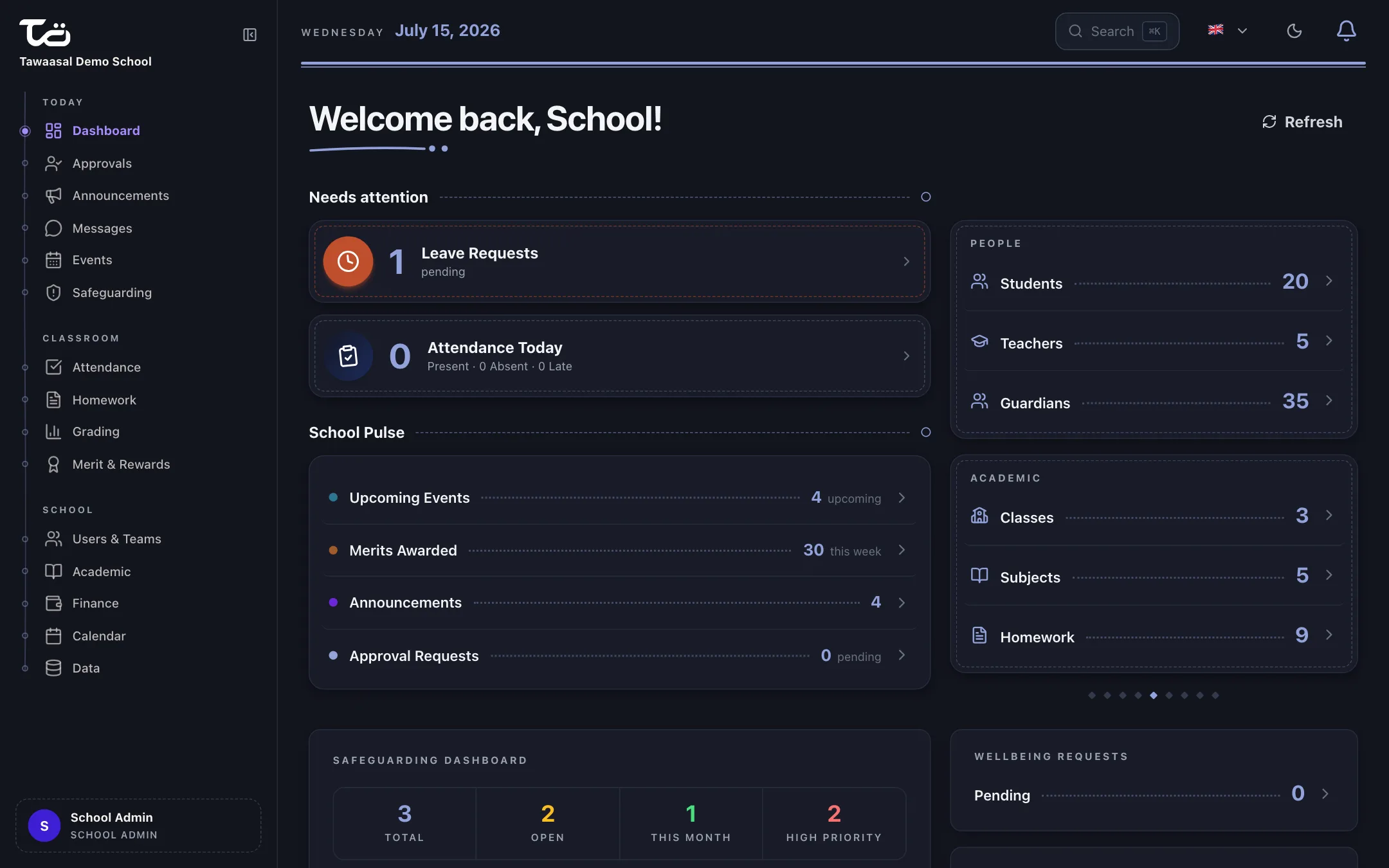
The new design pulls that thread — literally. A continuous, rounded connective stroke now runs through the whole product: under page titles, along the navigation, as section rules, in loading and empty states. Points along the thread are people; the thread is the connection between school, teacher, student and guardian. That's not a decoration we bought from a template library. It's our name, drawn.
Warm paper by day, deep ink by night
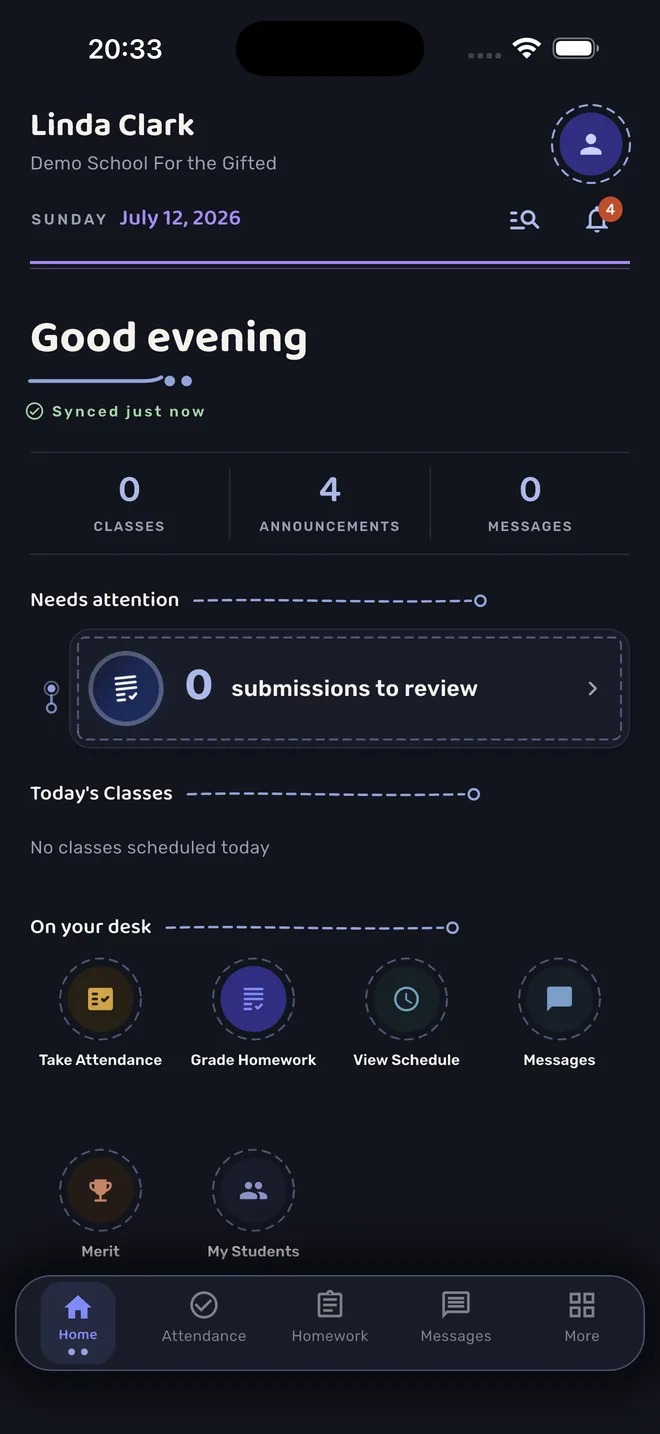
The generic white-and-lavender ground is gone. Light mode now sits on warm paper — a near-neutral cream that's easy on the eyes across a long school day. Dark mode is deep ink, with the thread glowing lapis across it. Cards feel like sheets laid on a desk, with stitched borders where something needs your attention — and one deliberate splash of terracotta reserved for the things that really do.
Typography that speaks Arabic first
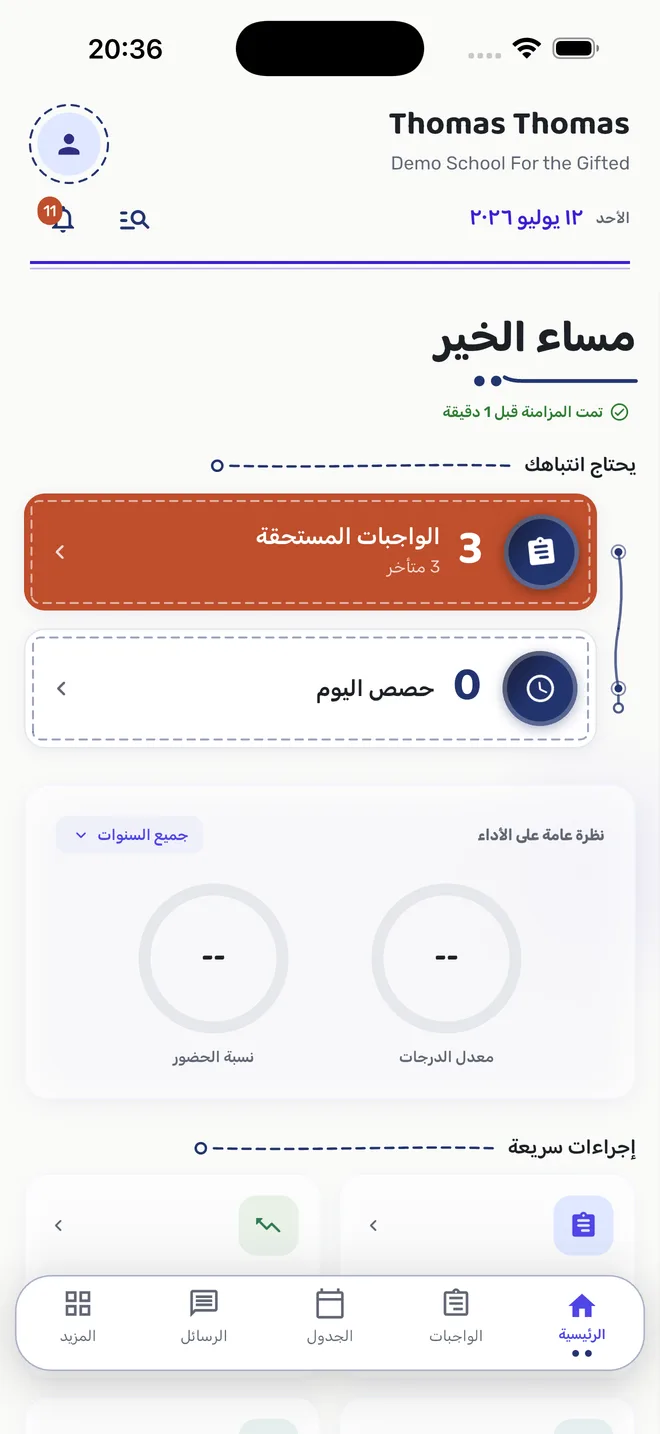
Most software picks a Latin font and hopes for the best in other scripts. We flipped that. Headings across the app are now set in Baloo Bhaijaan 2 — one of the very few typefaces designed Arabic-first, with a Latin companion that shares its skeleton — and body text in Rubik, which covers both scripts in a single family. Arabic headlines get equal expressiveness, not a fallback font. All 11 app languages, including full right-to-left mirroring for Arabic, Farsi and Urdu, get the same treatment.
What changed on mobile
The mobile apps (version 2.0) carry the identity everywhere:
- A letterhead dashboard — your school's name and today's picture open every session, followed by a "Needs attention" list that quietly escalates when something actually needs you.
- Simpler navigation — everything lives in the bottom tabs and a new "More" contents page; language and theme moved behind your avatar.
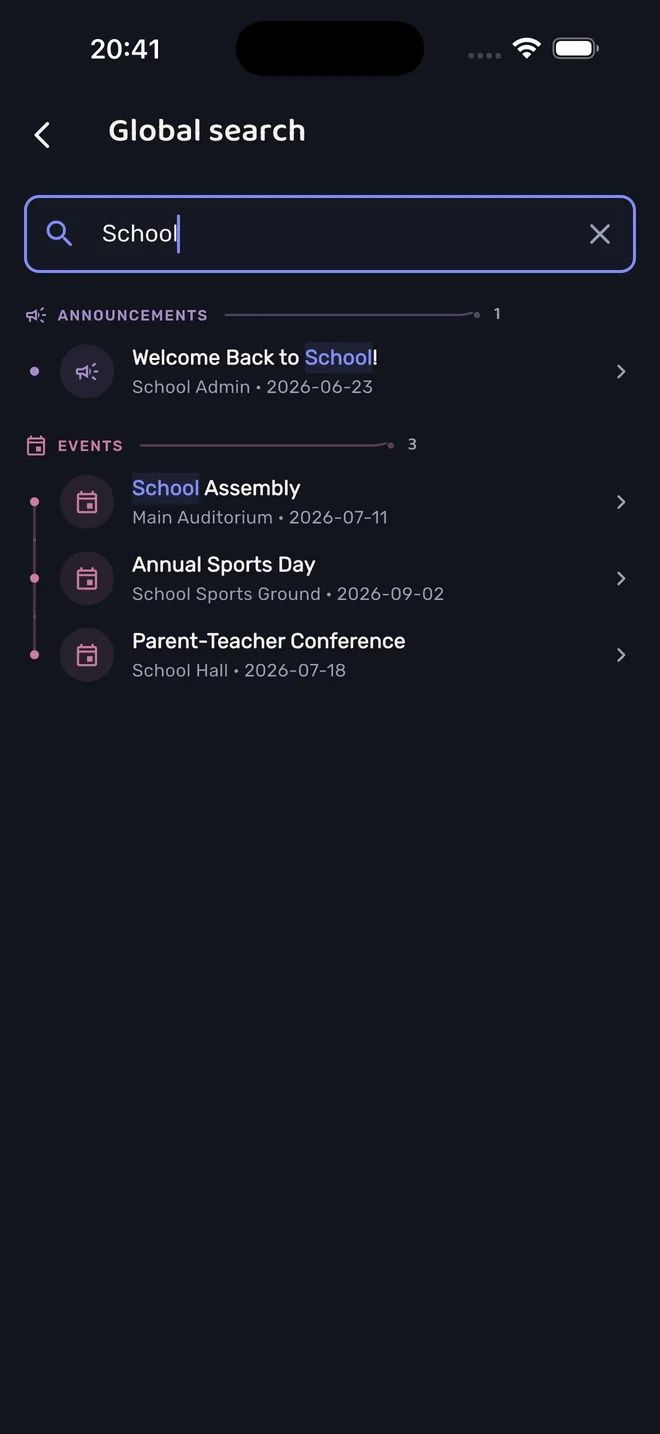
- Global search — one search across people, homework, announcements, events, classes and messages, grouped by category, showing only what your role is allowed to see.
- Branded quiet moments — loading and empty states carry the thread instead of a bare spinner.
The web app, same family
The web app was rebuilt to match: a register spine replaces the old accordion sidebar — flat destinations threaded on a single line with knot markers, like entries in a ledger — with section tabs inside each page. The top bar became a letterhead; page titles carry the thread flourish; cards lift like paper.
Your school, your colour — still
Schools on Tawaasal choose their own accent colour or derive it from their brand. The identity was deliberately built to carry itself through typography, thread and paper — never through one fixed hue — so every school's colour still works, in both themes.
Everything is where you left it
This was an identity layer, not a workflow redesign. Attendance, homework, grading, messages, safeguarding, approvals — every screen, permission and flow behaves the way it did before. Your team doesn't need retraining; the app just finally looks like no one else's.
Tawaasal 2.0 is live now — on the web at tawaasal.app, and on the App Store and Google Play. Want to see it first-hand? [Try the live demo](/en/demo).